
PetroBench supports multiple unit systems out of the box. You can set a default for your entire organization, override it per simulation, and adjust language preferences from the same settings panel.
Access your unit preferences
Open Settings > Account > Profile from the sidebar. The unit system selector appears at the top of the page.
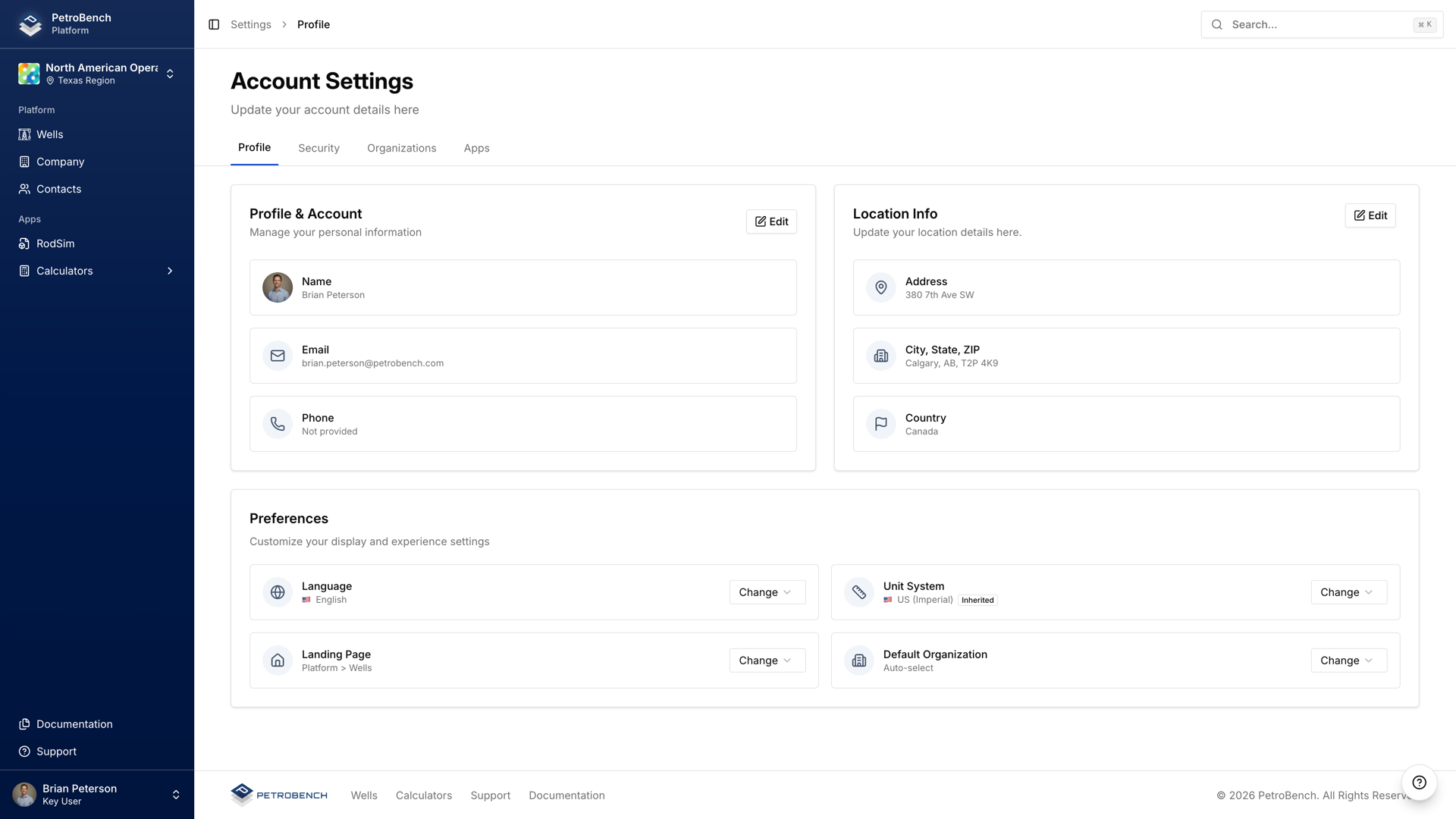
Click the unit system dropdown to see your options. Any change takes effect immediately across every module in the platform.
Available unit systems
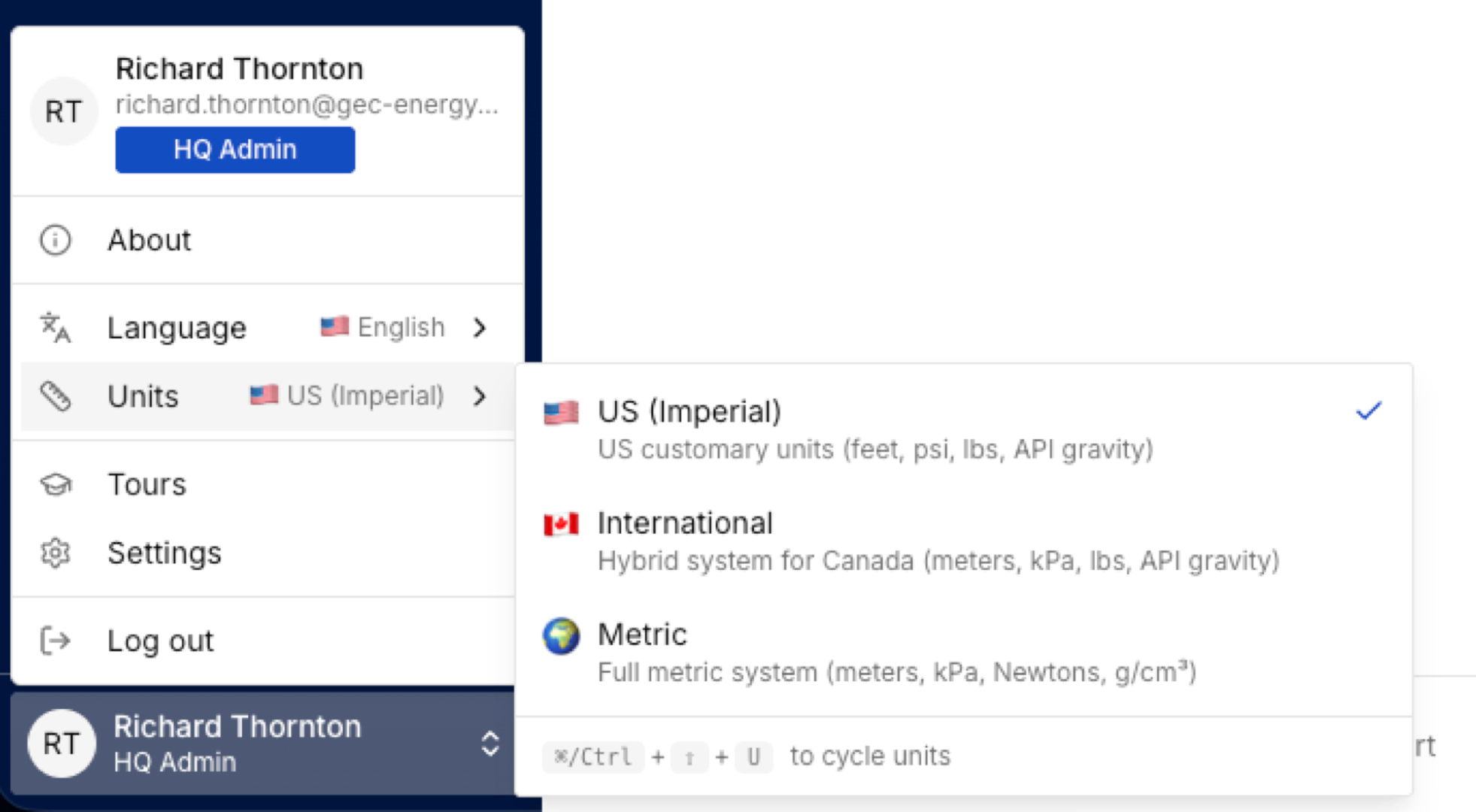
PetroBench ships with three built-in unit systems:
- Imperial: feet, psi, STB/d, degrees F. Standard for North American operations.
- Metric: meters, kPa, m3/d, degrees C. Standard for international operators.
- International: meters, bar, m3/d, degrees C. Used by operators in the Middle East, Asia, and Latin America.
How unit changes affect existing simulations
Unit preferences are a display layer. PetroBench stores all values internally in SI, then converts on the fly when rendering results, inputs, and reports.
That means:
- Switching units never modifies stored simulation data.
- Past results display correctly in whatever system you're currently using.
- Exported reports reflect the unit system active at the time of export.
If a colleague opens the same simulation with different unit preferences, they'll see converted values. The underlying data stays identical.
Global settings vs per-simulation overrides
Your account-level unit system acts as the global default. Every new simulation inherits it.
To override units for a specific simulation, open the simulation and go to Settings > Units within that simulation's workspace. The per-simulation setting takes priority over your account default.
This is useful when collaborating across regions. A Canadian team member can work in Metric while reviewing a simulation originally built in Imperial, without changing their account default.
Admin defaults for your organization
Organization admins can set company-wide defaults from Admin > App Defaults. These defaults apply to every new user account and every new simulation created within the organization.
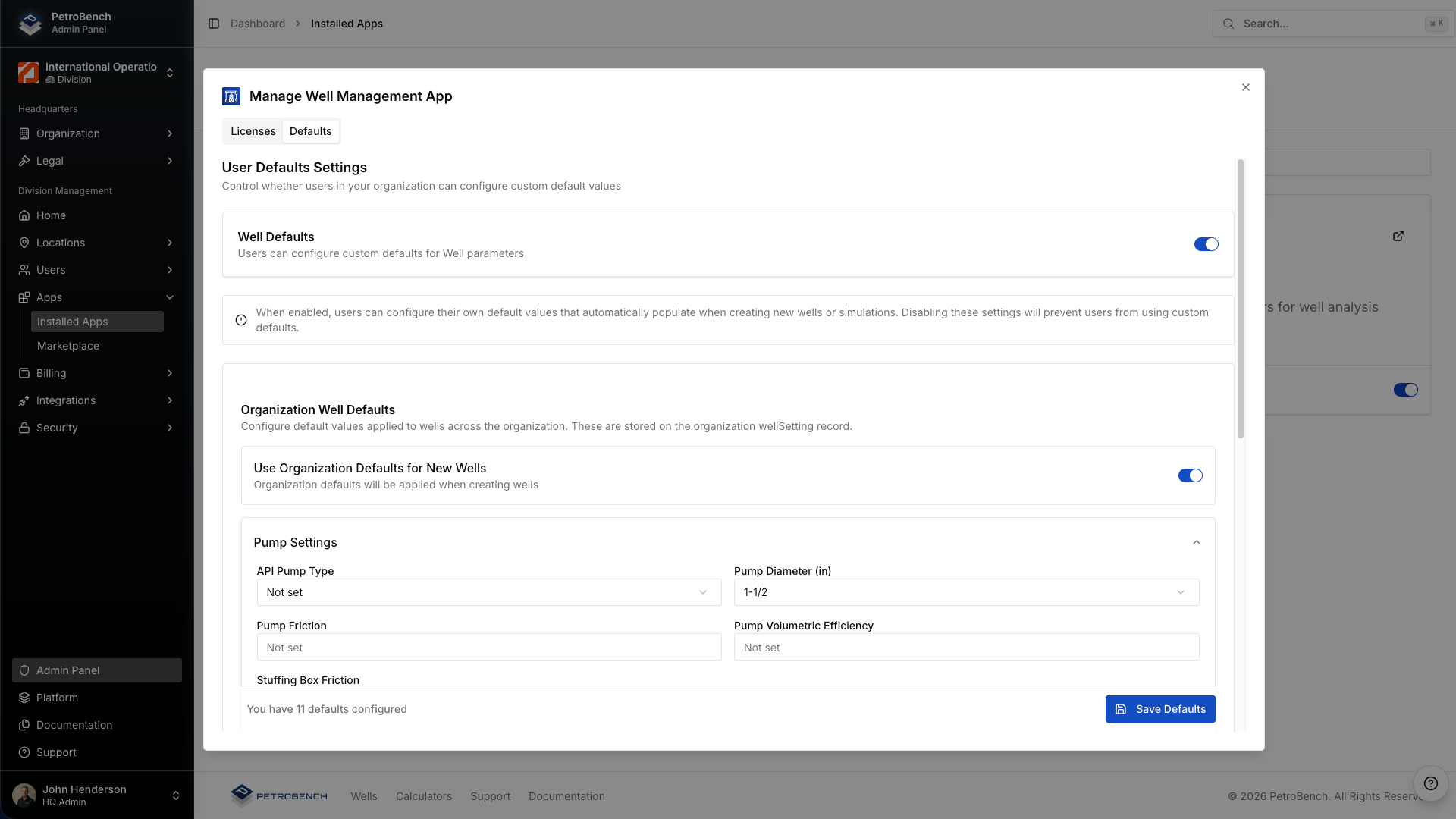
Configurable admin defaults include:
- Default unit system: the system assigned to new users on first login.
- Default simulation parameters: pre-fill values for well type, fluid model, and solver settings.
- Naming conventions: enforce consistent well and simulation naming patterns across the org.
Individual users can still override these from their own account settings. Admin defaults set the starting point, not a hard constraint.
Language and localization
Language settings live in Settings > Account > Profile, just below unit preferences. PetroBench currently supports English and Spanish, with Portuguese coming soon.
Changing your language updates the entire interface: navigation, labels, tooltips, and system messages. Technical terms (like "rod string" or "pump displacement") remain in English across all locales to avoid ambiguity.
Number formatting follows locale conventions automatically. Switching to Spanish, for example, changes decimal separators from periods to commas.
Quick reference
- Change your units: Settings > Account > Profile > Unit System
- Override per simulation: open simulation > Settings > Units
- Set org defaults: Admin > App Defaults
- Change language: Settings > Account > Profile > Language
- Data safety: switching units never alters stored values