
PetroBench imports S-Rod and Norris Rods simulation files directly, so you don't have to re-enter years of engineering data by hand.
Supported file formats
The importer accepts two file types:
- .inp6e: S-Rod 6 Enhanced format
- .inp7: Norris Rods 7 format
Both are XML-based. PetroBench handles the structural differences between them automatically.
Import an S-Rod file
Open the Wells page and click Import. Select your .inp6e or .inp7 file.
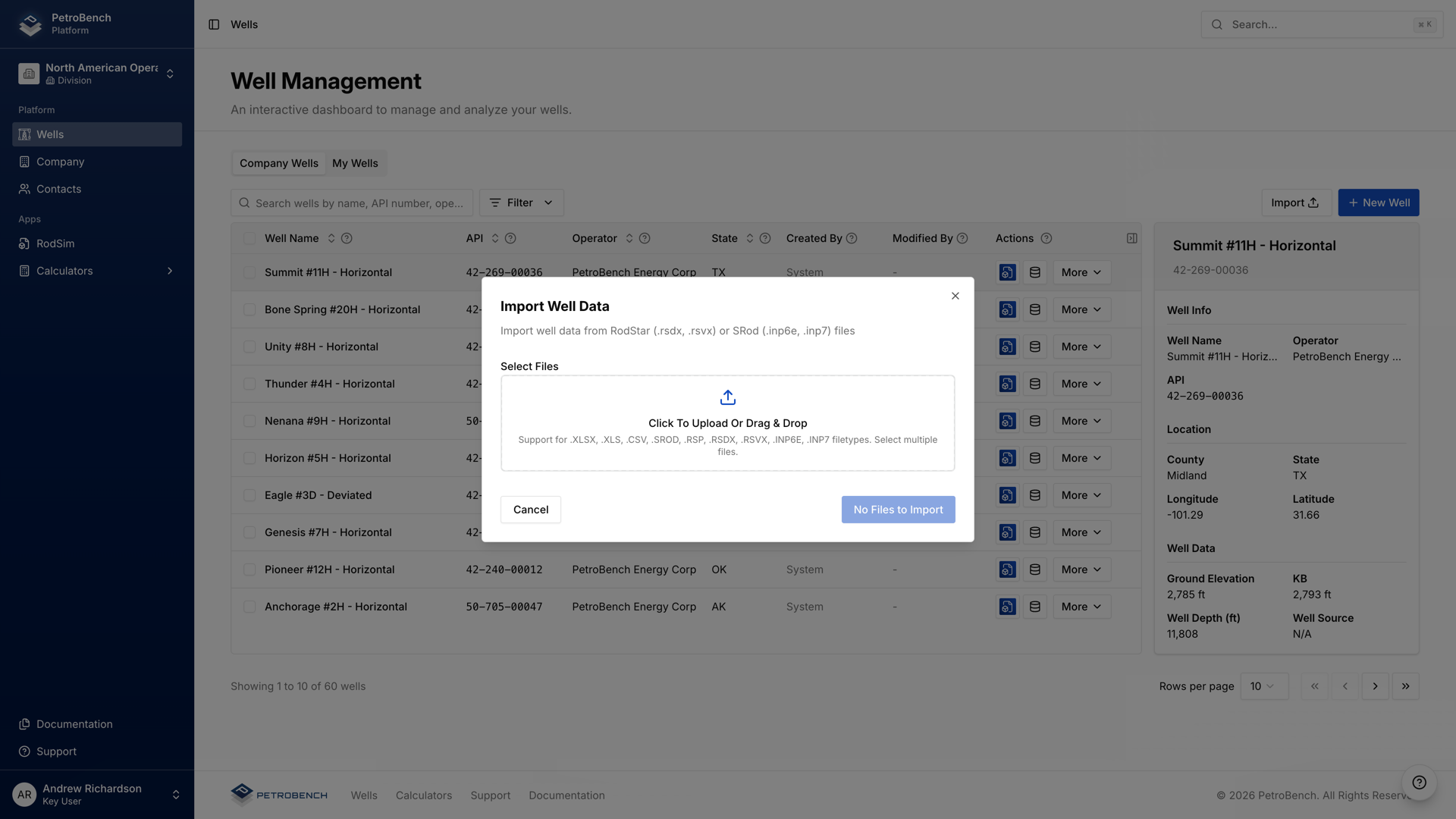
PetroBench parses the file and shows a mapping preview. Review the extracted data, confirm the well name and field assignment, then click Import.
The import typically takes a few seconds. Once complete, the well appears in your Wells list with all imported data attached.
What gets imported
The importer extracts and maps the following data from your S-Rod file:
- Wellbore geometry: casing and tubing dimensions, perforation depth
- Directional survey: reconstructed from S-Rod's colon-delimited MD/inclination/azimuth arrays
- Rod string: taper lengths, diameters, and grades (derived from tensile strength values)
- Pumping unit: unit type, geometry, stroke length, pumping speed
- Downhole pump: pump size, seating depth, plunger fit
- Fluid properties: specific gravity, water cut, GOR, fluid level
- Operating conditions: wellhead and casing pressures
Verify imported data
S-Rod and PetroBench use different fluid property correlations and internal calculation methods. After import, review these areas:
- Fluid correlations: S-Rod calculates fluid properties differently. Check that oil gravity, viscosity, and formation volume factor look reasonable for your reservoir.
- Rod grades: the importer maps tensile strength to API grades. Verify the assigned grade matches what's actually installed in the well.
- Pump intake pressure: if the original file used a static fluid level, confirm PetroBench's calculated intake pressure aligns with your field data.
- Directional survey: for deviated wells, check that the reconstructed survey stations produce a reasonable wellbore path.
Small differences in simulation results between S-Rod and PetroBench are expected. They stem from different calculation engines, not import errors. If results diverge significantly, start by checking the items above.
Run the simulation
Once you've reviewed the imported data, click Simulate to run PetroBench's rod pump analysis. Compare the results against your last S-Rod run to confirm the import captured everything correctly.
If you see unexpected differences, adjust the flagged parameters and re-run. The imported well is fully editable, so you can refine any value before or after simulation.